
To install MongoDB as a local user you can use details as below: Account Domain: . ( dot is the default value ) Account Name: Your Window's local username Account Password: Your Window's login password Note: Your account should be local admin account or change that account to local account.
To install MongoDB as a local user you can use details as below:
Account Domain: . ( dot is the default value )
Account Name: Your Window's local username
Account Password: Your Window's login password
Note:
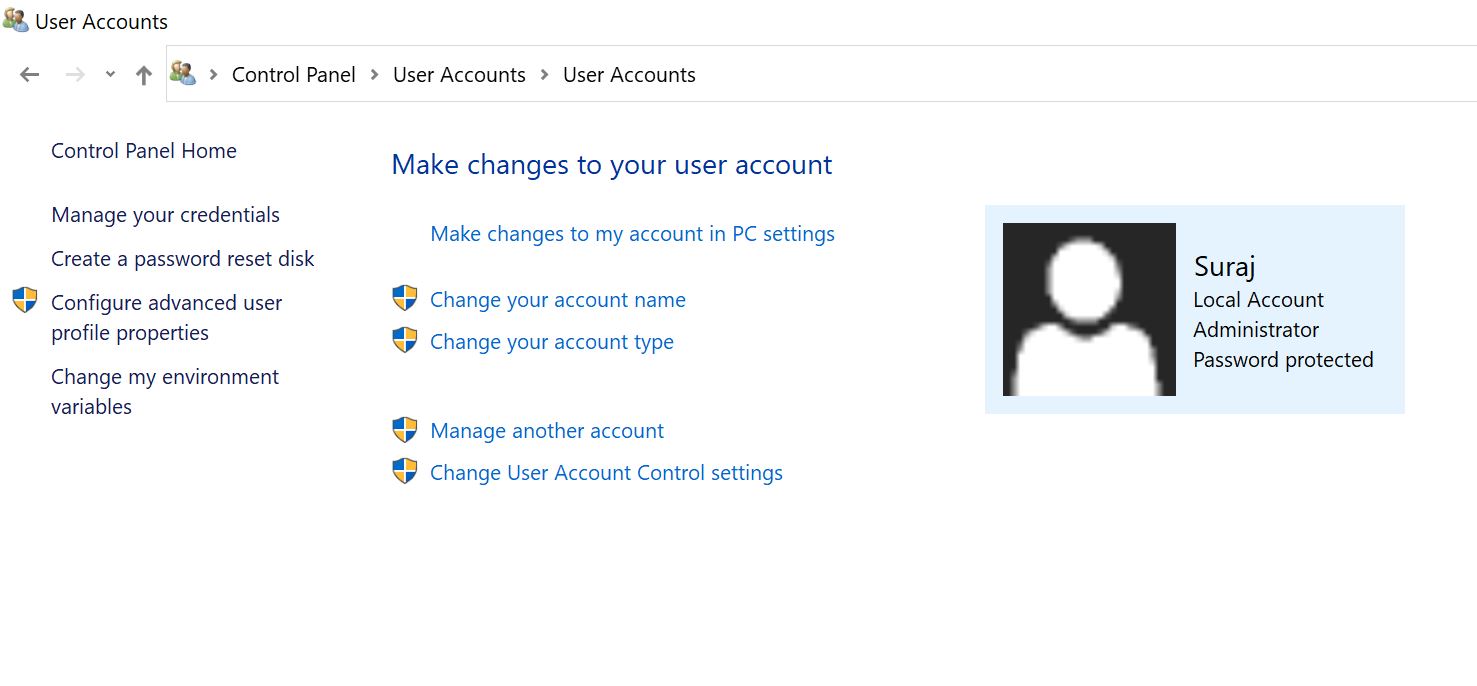
- Your account should be local admin account or change that account to local account.
- To get your local account name, you can open
Control Panel\User Accounts\User Accounts
location in your windows explorer. Please refer to attached image. As per attached image my account name is on the right side of user avatar.
#Database
#Database Installation
#MongoDB
#MongoDB Installation
Share this post